Understanding the importance of optimizing every aspect of your marketing campaigns to achieve the best results is a vital task. A/B testing is a tool that allows you to experiment with different elements of your email marketing campaigns to discover what will best impact your audience.
In this article, we’ll walk you through the process of creating and running A/B tests so you can get the most out of your marketing efforts.
What is an A/B testing campaign?
A/B split campaigns allow you to run two versions of the same newsletter to test which one works better and which factors increase open, click and conversion rates. This type of tool is undoubtedly one of the great advantages of digital marketing, as it allows us to work on continuous improvement based on trial and error.
Mailchimp se ha convertido en una de las plataformas más populares y eficaces para la gestión de campañas de correo electrónico. Dispone de una interfaz intuitiva y funcionalidades versátiles, motivo por el cual se ha posicionado como un aliado fundamental para empresas, emprendedores y profesionales del marketing.
Mailchimp allows you to make changes in:
- The content
- The matter
- The sender’s name
- Delivery schedule
Steps to create an A/B testing campaign in Mailchimp
Creating A/B tests involves a series of steps. First, the test is generated and a name is assigned to the test. Subsequently, the recipients are selected, the variable to be tested is chosen, the options are configured and the desired content is incorporated. Finally, everything is checked to ensure that everything is in order and the test is sent.
Before starting your test, it is crucial to identify which element you want to evaluate. Do you want to know if a shorter subject line generates more clicks? Or maybe you want to determine if a specific image increases the open rate? Whatever your objective, be sure to clearly define which variable you are testing.
Log in to your Mailchimp account: You will find integrated tools to create A/B tests.
2. Click on the Create icon and then click on Email and then click on A/B test :
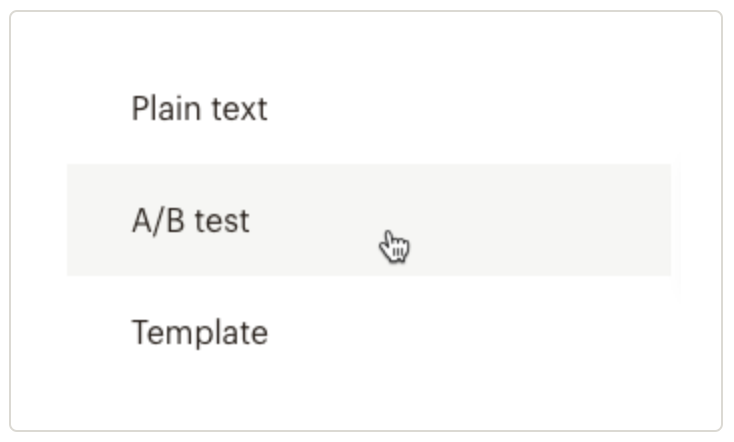
3. Enter an e-mail name and click Begin.
4. In the Recipients step of the creator, choose the audience or segment to which you want to send your tests. You can set up a new audience or segment on this screen or select a saved segment.
5. When you have everything ready, click Next.
6. Create your variables: Once you have identified the element to test, create two different versions. For example, if you are testing an email subject line, you could create a short version and a longer version:

7. Click on the + or – icons to add or remove variations of the variable. Test 1 variable with up to 3 variations:
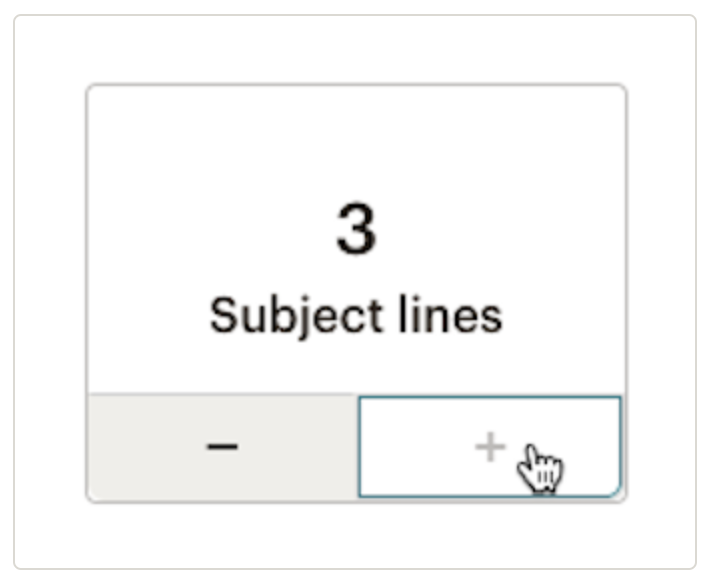
8. Each variation will generate a merge, as shown in the Summary section. For example, to test three subject lines, three combinations of your email will be created:

9. Once you have reached the What percentage of your recipients should receive your test combinations section, use the slider to choose how many of your subscribed contacts you want to send your test combinations to:

10. Check the number of recipients who will receive each combination in the Summary section .
In order to perform any type of A/B test it is mandatory that you send it to at least 10% of your recipients, so the slider will not go below 10%. If you are testing the sending time you will have to send the test to 100% of the contacts subscribed to the audience or segment you have selected.
11. Decide if you want to determine the winning test based on open rate, click-through rate, total revenue or manually. Next, decide how long you want the test to last.

12. Once you have set up all the details, activate your A/B test. The platform will automatically send the variants to your split audience and collect data on the performance of each version.
13. At the end of the test phase, the newsletter with the best results, depending on the target you have decided to test, will be sent to the rest of your recipients. If you decide to send test combinations to 100% of your recipients, you will not see this option.
14. Finally, click Next.
Access to our Email Marketing course with Mailchimp
How to improve your results with A/B testing in Mailchimp?
- Before starting an A/B test, make sure you have a clear objective: do you want to increase open rate, click-through rate or conversions? This will help you design the test effectively.
- Decide which element of your email you want to test, whether it’s the subject line, content or layout. Keep this variable consistent between test groups to get accurate results.
- Segment your audience into two random groups and make sure they are large enough to get meaningful results.
- Design two versions of the element you are testing. For example, if you are testing the email subject, create two different but similar in content subject lines.
- For accurate results, be sure to change only one variable at a time. This will allow you to identify which specific change influenced the results.
- Decide how many recipients will receive each version and for how long the test e-mails will be sent.
- Once the test is finished, analyze the data carefully. Mailchimp provides detailed statistics on open rate, click-through rate and other relevant metrics for each version of your email.
- Based on the results of the A/B test, choose the winning version and send that version to the rest of your subscriber list. You can also use these results to optimize future email campaigns.
Mailchimp compatible tools
Mailchimp offers seamless integration with various applications and platforms, simplifying data synchronization and process automation between different tools. This versatility makes it possible to connect Mailchimp with CRM systems such as Zoho, e-commerce platforms such as Shopify, social networks and others, significantly expanding opportunities to personalize and extend the reach of campaigns.

Mailchimp support and resources
Along with its intuitive interface, Mailchimp provides valuable educational resources such as tutorials, webinars and an extensive knowledge base. Technical support is available to address queries and resolve any issues that may arise while using the platform. This combination of tools and support makes Mailchimp accessible to both beginners and advanced users.
This tool offers remarkable versatility, allowing marketers to effectively manage their email campaigns. From the creation of audiences to the implementation of automated marketing strategies and detailed analysis of results, Mailchimp provides everything needed to optimize and continuously improve email marketing strategies.
Ultimately, success in email marketing goes beyond simply sending emails; it’s about establishing meaningful connections with your audience and delivering value through personalized, relevant content.
En Reinicia somos partner oficial de Mailchimp y podemos ayudarte a lograr precisamente eso. ¿A qué esperas para empezar a utilizar esta herramienta? ¡Haz brillar tus campañas de email marketing!